Cloud Models
Run paid cloud models such as Seedream, FLUX 2, Nano Banana, Seedance, Wan, and Veo on your own DeepInfra key, with no download and no GPU, and see the cost before you Cue.
What cloud models are
A cloud model has no weights to install and no graph to run locally: it generates on DeepInfra's own servers, on your own DeepInfra account, and the picture or clip comes back over the network. There is nothing to download, nothing on your GPU, and nothing here checks your hardware before you run one. You pay DeepInfra directly for what you use; Cubric Studio stores only the result.
Getting a DeepInfra key
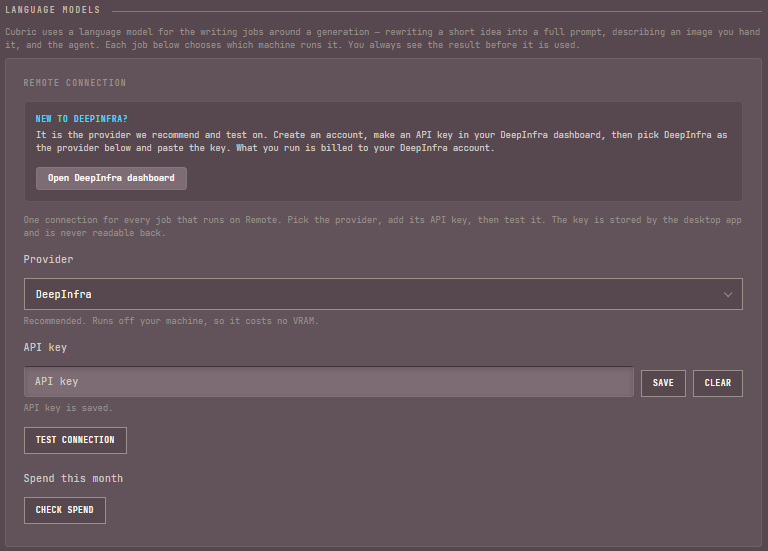
Open Remote, next to Settings at the top of the Projects screen. Under Language Models > Remote connection (see Remote), a New to DeepInfra? box links straight to the DeepInfra dashboard: create an account there and make an API key. Back in Cubric Studio, set Provider to DeepInfra, paste the key into the API key field, and click Save. Test connection confirms it without spending anything, and Check spend reads back what you have spent this month, straight from your DeepInfra account.
The key is stored by the desktop app and cannot be read back once saved. Cloud models will not run without it: trying one with no key saved points you back to this same spot.
The models
Fifteen cloud models, in six families. Every one offers Text to Image or Text to Video, and, on the image families, Edit as well. "References" is how many pictures you can hand an Edit at once, where the model takes more than one. Reference to Video makes a clip from reference pictures, clips and sound you add, instead of from a first frame.
Seedream
ByteDance's photographic line, strong at realistic scenes and at getting readable text right inside the image.
| Model | Operations | References | Notes |
|---|---|---|---|
| Seedream 4 | T2I, Edit | 1 | 2K or 4K output. |
| Seedream 4.5 | T2I, Edit | 1 | Newer checkpoint than Seedream 4: better prompt following, cleaner faces. |
| Seedream 5.0 Pro | T2I, Edit | Up to 4 | Top of the line. 1.5K or 2K output; each reference beyond the first is billed separately. |
FLUX 2
Black Forest Labs' FLUX 2, hosted at three tiers of sharpness and prompt adherence, plus the FLUX.2 Klein 9B you can also install locally.
| Model | Operations | References | Notes |
|---|---|---|---|
| FLUX 2 Dev | T2I, Edit | Up to 4 | The open FLUX 2 weights, hosted instead of downloaded. |
| FLUX 2 Pro | T2I, Edit | Up to 4 | Sharper and more literal than Dev. Each reference is billed separately. |
| FLUX 2 Max | T2I, Edit | Up to 8 | The best prompt adherence of the three, and the dearest. Each reference is billed separately. |
| FLUX.2 Klein 9B (Cloud) | T2I, Edit | Up to 4 | The same model as the local FLUX.2 Klein 9B, with no GPU and no download, so a prompt that works locally carries over. No styles and no masked edits. The price rises with the picture's size. It can also render Scribble and Draw It In. |
Nano Banana
Google's Nano Banana / Gemini image family. Output is about 1 megapixel whatever ratio you pick, since these models take only an aspect-ratio label, not pixel dimensions. Up to four reference images on Edit are collaged into the one picture the model actually takes.
| Model | Operations | References | Notes |
|---|---|---|---|
| Nano Banana 2 Lite | T2I, Edit | Up to 4 | The cheap end of the family; good at edits that leave the rest of the picture alone. |
| Nano Banana 2 | T2I, Edit | Up to 4 | Better at faces and fine detail than Lite. Its content filter is stricter than either sibling's; if it refuses, try Lite or Pro instead, and a refusal is never billed. |
| Nano Banana Pro | T2I, Edit | Up to 4 | The strongest of the three at text in the image and at following a long prompt exactly. Google also calls this model Gemini 3 Pro Image. |
Seedance
ByteDance's hosted video line.
| Model | Operations | Notes |
|---|---|---|
| Seedance 1.5 Pro | T2V, I2V | 4 to 12 second clips at up to 1080p, with real camera movement. |
| Seedance 2.0 | T2V, I2V, Reference to Video | Up to 15 seconds, a clear step up in motion and coherence, and much dearer than 1.5 Pro. |
Wan
| Model | Operations | Notes |
|---|---|---|
| Wan 3.0 | T2V, I2V, Reference to Video | Clips up to 30 seconds at 480p, 720p, or 1080p. Priced per second and per tier, so dropping a resolution tier meaningfully lowers the cost. |
Veo
Google's Veo 3.1, the only cloud models here that generate with sound, and the only ones that can queue several clips as one batch and one bill.
| Model | Operations | Notes |
|---|---|---|
| Veo 3.1 Fast | T2V, I2V | Fixed 8 second clips, with sound. The cheaper of the two, and the one to explore with. |
| Veo 3.1 | T2V, I2V | Fixed 8 second clips, with sound. The strongest video model in this list, and the dearest. |
Cost, shown before you Cue
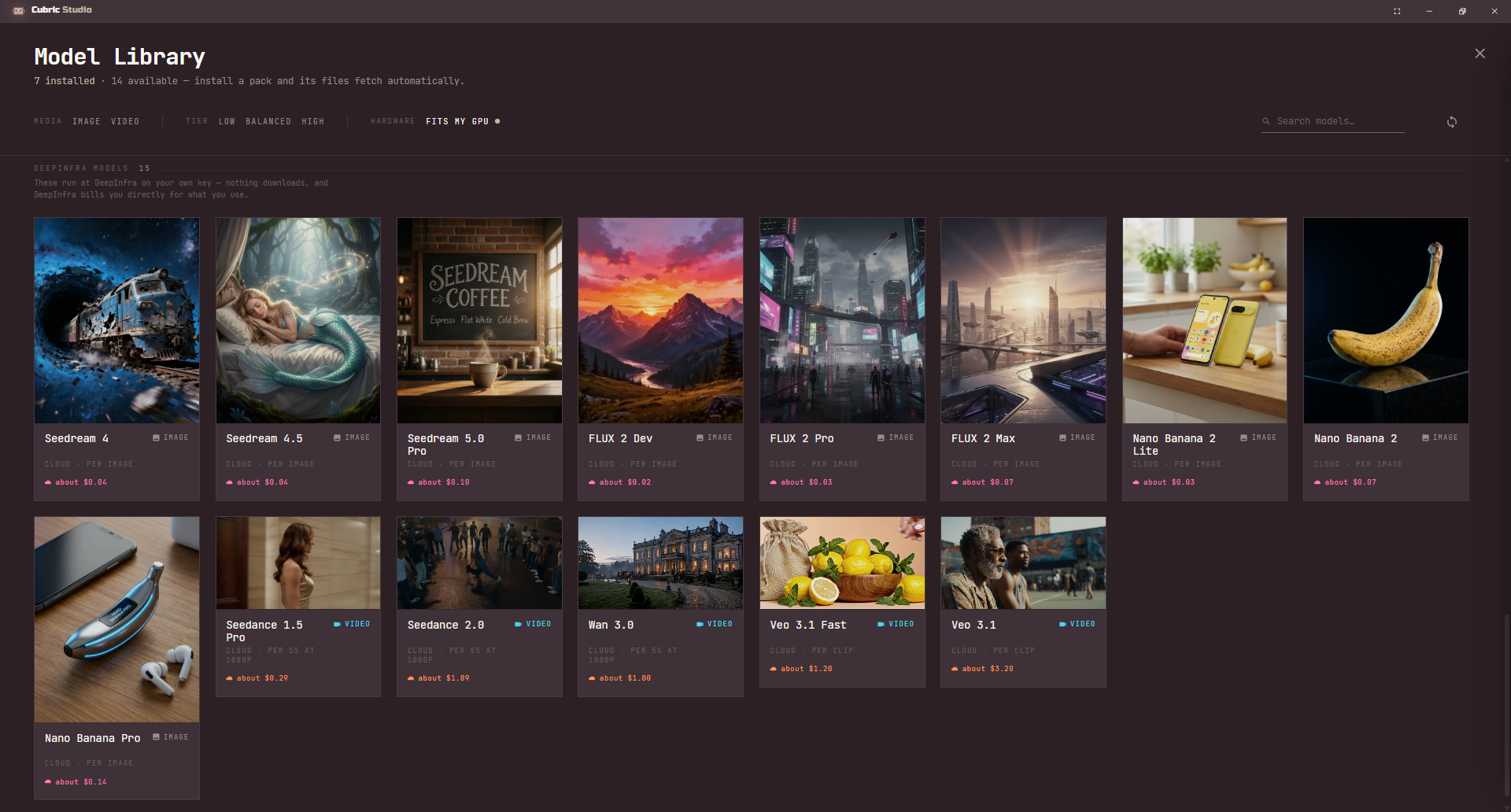
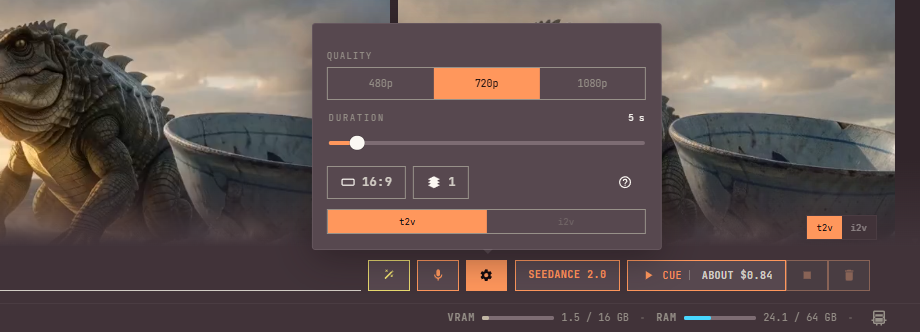
Pick a cloud model and the Cue button in the Prompt Box shows an approximate price beside it, worked out live from your current settings (size, resolution, duration, reference count). The same figure appears on the model's tile in the Model Library and in the agent's confirm card, so wherever you see a price it comes from the same estimate. When a shape genuinely cannot be priced ahead of time, the tag stays blank rather than showing a guess.
Prices are DeepInfra's own published rates for that model, kept in sync by the app rather than typed in by hand, so a rate change on DeepInfra's side is a small update here rather than a stale number.
A stopped run still costs
Once you press Cue and the request has gone out to DeepInfra, clicking Stop does not get your money back: the generation keeps running on DeepInfra's side, and its result still lands in your gallery when it finishes, because you already paid for it. Stop only cancels for free in the short window before the request is actually sent.
Local models and cloud models
The Run locally toggle in the Prompt Box only appears once you are connected to a RunPod cloud engine, and it only affects an ordinary installed model: it switches that model between running on your own machine and running on the RunPod Pod. A cloud model such as Seedream or Veo is not installed anywhere and always runs on DeepInfra, whatever that toggle is set to.
In the model picker and Library
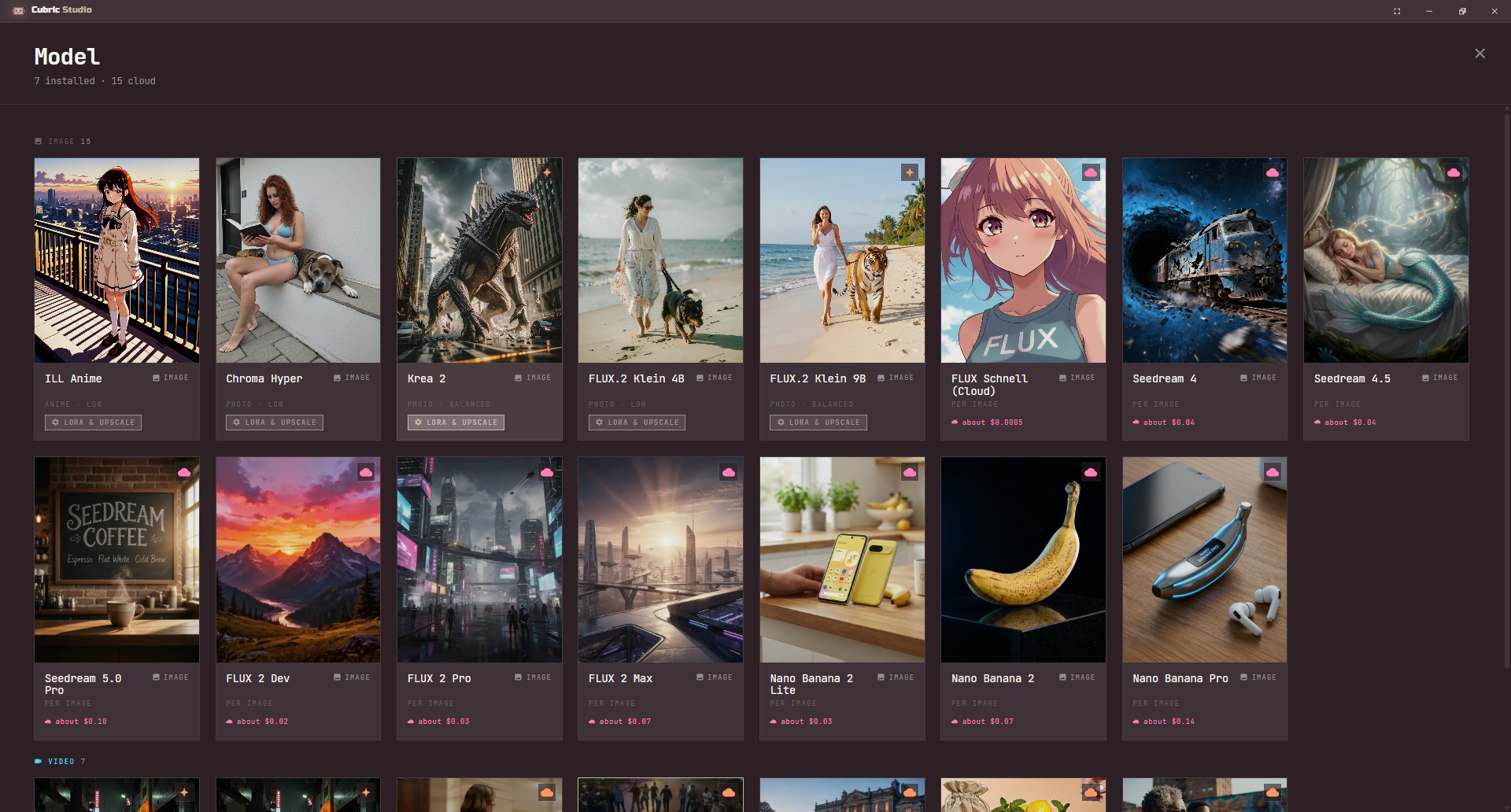
In the model picker, cloud models sit alongside your installed ones, under Image or Video like any other model, marked with a cloud badge. The Model Library gives them a section of their own, DeepInfra models, at the foot of the page after everything local. The media and tier filters and Fits my GPU leave that section alone, since nothing in it runs on your card; search still reaches it. In place of a size tier and a download button, a cloud tile shows its price. The Library's own count line counts local models only, so adding a cloud model moves neither number; the model picker's count line is the one that splits them, for example "12 installed · 14 cloud". A cloud tile carries no LoRA or upscale-model settings, since nothing about it is installed.